

Meeting Coach: Master Every International Meeting with Confidence
elsaspeakadmin
September 14, 2026
News
Meeting Coach is an AI-powered English meeting practice solution designed to help professionals build faster communication reflexes, express ideas clearly, and take control of workplace discussions. It realistically simulates a wide range of meeting scenarios, provides instant error correction, and delivers in-depth feedback on both soft skills and English proficiency. Explore Meeting Coach with ELSA Speak and prepare to contribute confidently in any international meeting.
What is Meeting Coach?
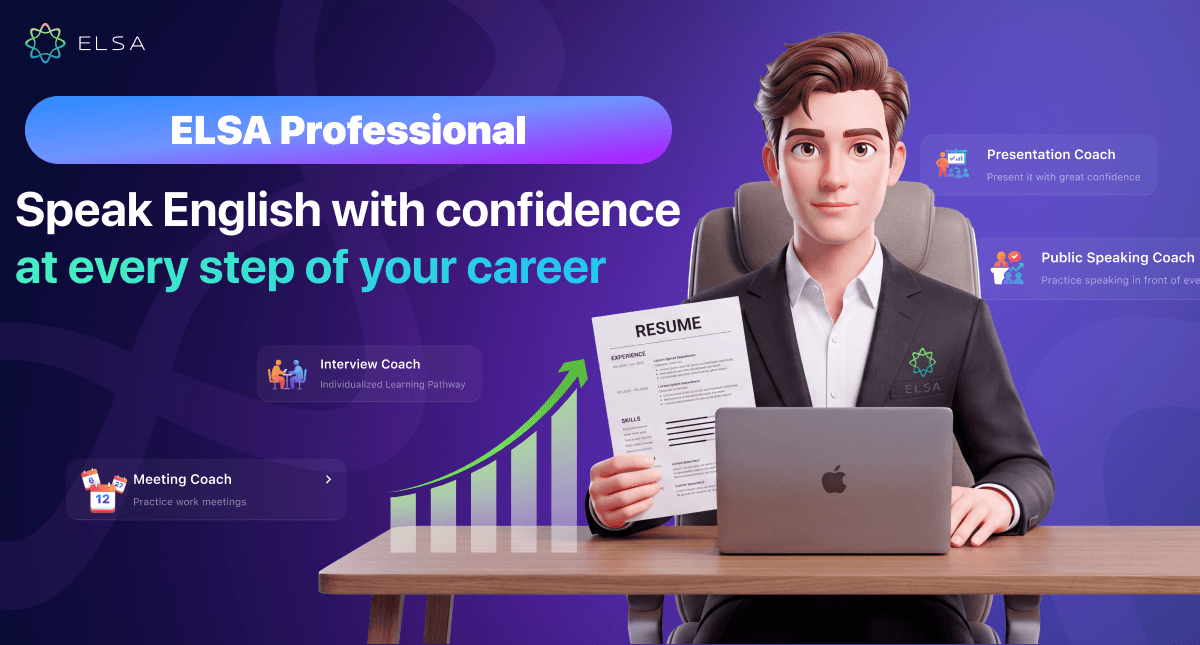
Meeting Coach is an AI-powered workplace meeting simulation feature included in ELSA Professional. Learners can speak directly with virtual colleagues through two-way voice conversations, give work updates, and practice responding to or challenging different viewpoints.
Users can progress from beginner practice with suggested lines to advanced, fully open-ended conversations. The system evaluates both meeting participation and facilitation skills alongside English pronunciation and language performance, helping professionals turn what they know into communication skills they can use in real workplace situations.
Benefits of practicing meetings with AI
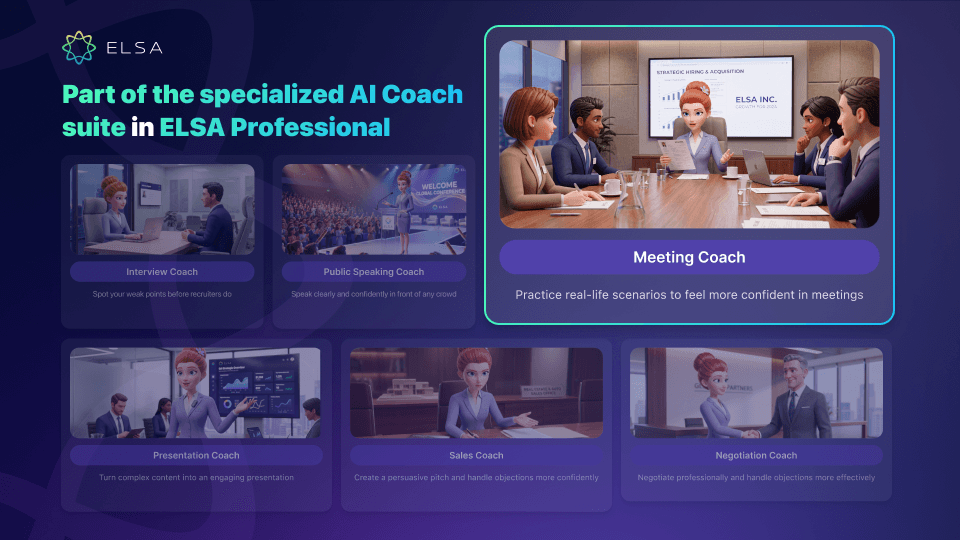
Practicing with AI can quickly improve both language reflexes and professional communication habits. For working professionals, the practical benefits include:
- Prepare ideas and sentence structures in advance: Organize your talking points and useful sentence patterns before entering a real meeting.
- Get used to fast-paced exchanges: Strengthen listening reflexes and learn to respond flexibly to unexpected questions from colleagues.
- Practice interrupting politely: Learn how to enter a conversation at the right moment and claim speaking time without losing professionalism.
- Sound more professional in meetings: Build a more polished communication style through formal workplace vocabulary and effective sentence structures.
- Identify speaking weaknesses and build confidence: Detect and correct pronunciation or grammar issues in a low-pressure practice environment.
How does Meeting Coach work?
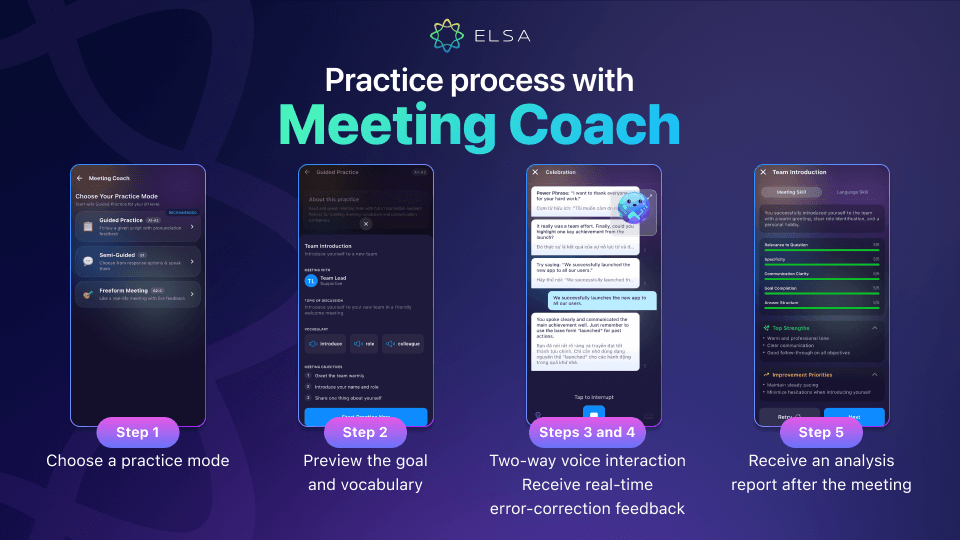
The practice flow is intentionally simple and designed to mirror a meeting in a global company as closely as possible. Each session follows a clear sequence:
- Choose a practice mode: Select one of three levels based on your current ability so you can begin the session comfortably and naturally.
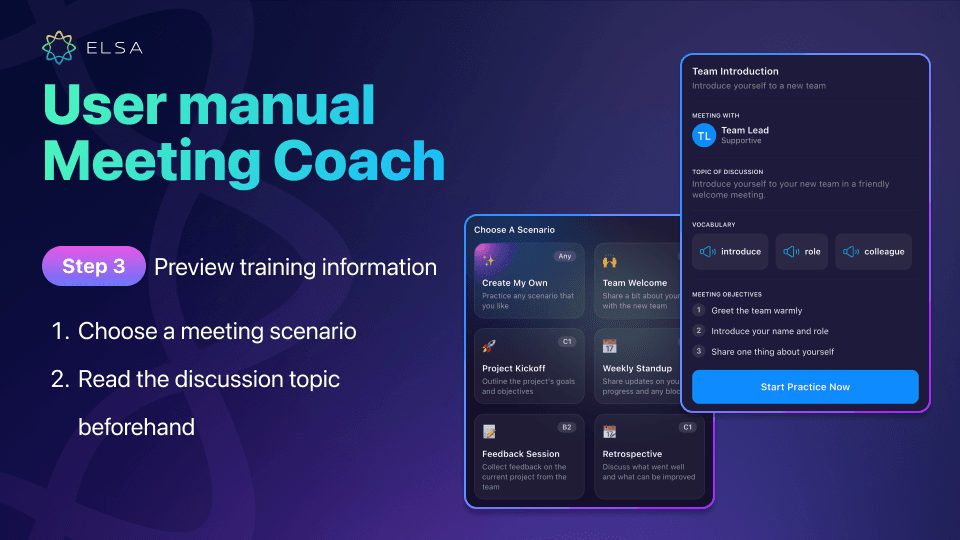
- Preview objectives and vocabulary: The system shows the AI colleague profile, key vocabulary, and three objectives for the meeting so you can prepare your ideas before turning on the microphone.
- Interact through two-way voice: Speak directly through the microphone to complete each discussion objective shown on screen. The AI listens and continues the conversation in real time.
- Receive immediate correction feedback: The AI identifies grammar mistakes or wording that is not formal enough for the context, helping you recognize issues and adjust your phrasing right away.
- Review a post-meeting analysis report: The results summarize both Meeting Skill and Language Skill metrics so you can clearly see your strengths and highest-priority areas for improvement.
Who is Meeting Coach for?
This advanced meeting practice technology supports a wide range of roles in international working environments. It is especially valuable for:
- Employees at multinational companies
- Managers and team leaders
- Technical professionals
- People who hesitate to speak up or are unsure how to interrupt
- Anyone who wants to improve meeting reflexes and responsiveness
Meeting Coach features
The feature set supports learners throughout the entire meeting journey, from preparation and live interaction to post-session analysis. Every part of the experience focuses on building practical communication reflexes and improving language skills.
Three practice modes for different proficiency levels
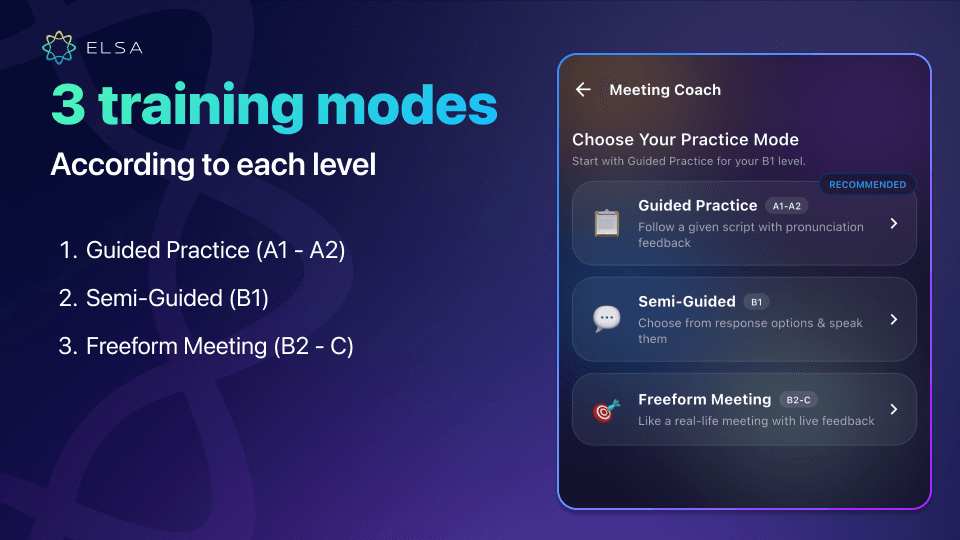
The three training levels are structured to match individual ability, and users can switch modes as their skills improve:
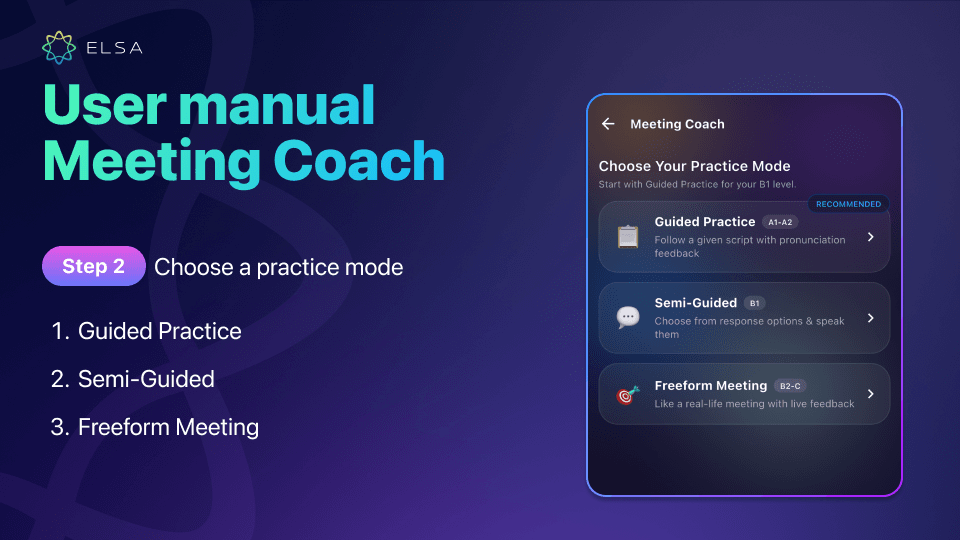
- Guided Practice (A1 - A2): Practice speaking with ready-made sample scripts and translation support. This mode helps beginners strengthen vocabulary and build confidence in pronunciation.
- Semi-Guided (B1): Choose an appropriate response from suggested options, then say it aloud. Learners get used to natural phrasing while also practicing how to select the right idea.
- Freeform Meeting (B2 - C): A fully open, realistic meeting simulation with no script and no model answer. The AI responds directly to what the learner actually says, creating the highest level of spontaneous speaking challenge.
A diverse library of workplace meeting scenarios
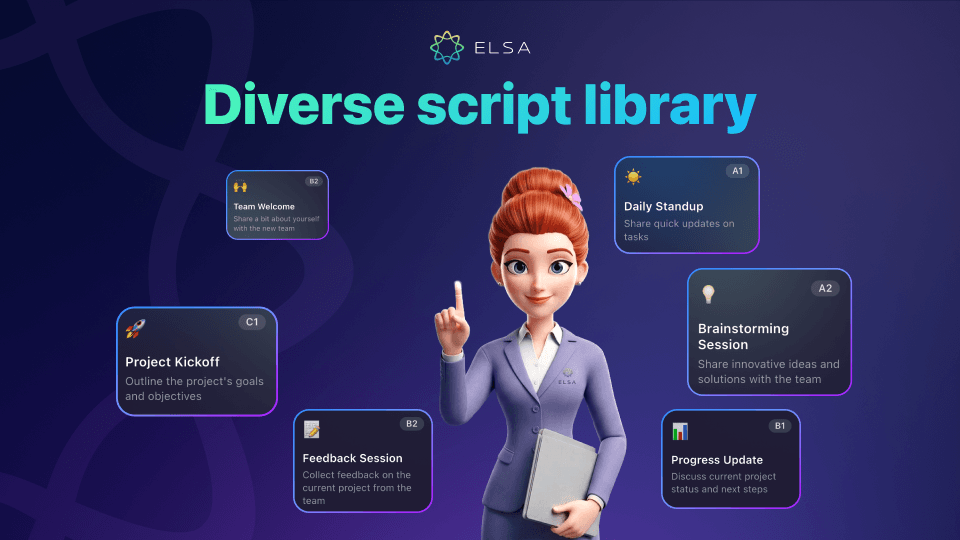
The practice library covers most common communication situations in a modern workplace, helping learners prepare for a wide range of meetings:
- Team Introduction / Team Welcome: Introduce yourself, your job title, and personal interests when joining a new team. This helps you create a warm first impression and connect with colleagues more quickly.
- Daily Standup / Weekly Standup: Give quick updates on what you completed, what you plan to do next, and any blockers you are facing. This is especially practical for agile and flexible working teams.
- Project Kickoff: Present the goals, expectations, and key milestones of a new project with the team so everyone aligns on a clear action plan from the start.
Brainstorming Session: Contribute new ideas and discuss potential solutions with the team, strengthening reasoning and critical-thinking skills. - Progress Update / Weekly Sync: Report work progress in detail and discuss next steps with your manager. Clear delivery of data and status updates helps demonstrate professional capability.
- Feedback Session: Collect and exchange project feedback constructively. Learners practice listening openly and giving thoughtful feedback to colleagues.
- Retrospective: Review what went well and what could be improved after a project is completed, helping you extract lessons for future work.
- Celebration: Lead a meeting that celebrates results and recognizes team contributions. This scenario helps you practice spreading positive energy and motivating colleagues.
- Create My Own: Set your own meeting topic and context based on a real personal need, making it especially useful for preparing for an important upcoming meeting.
Meeting objectives and smart phrase suggestions
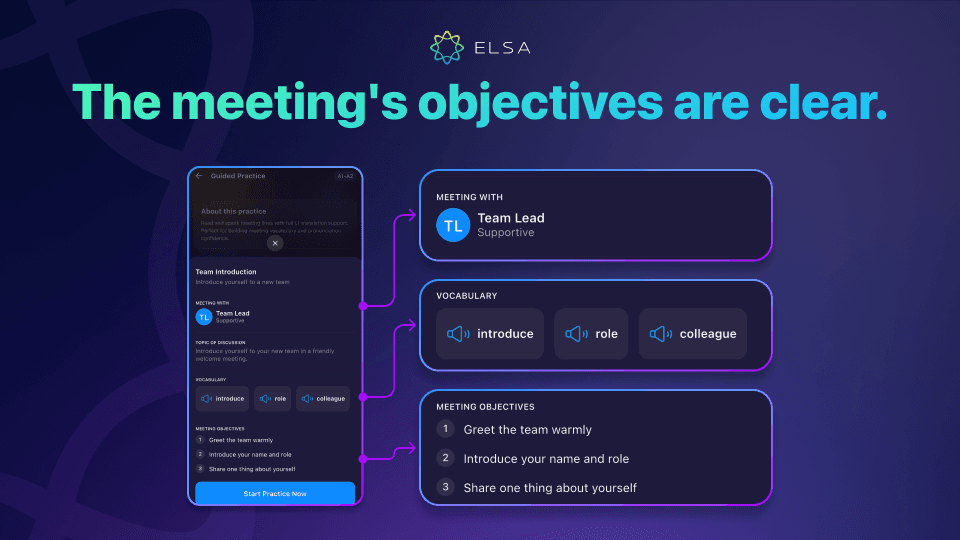
The preparation stage is designed to give learners a clear communication roadmap before they turn on the microphone, so they are less likely to feel passive or unprepared when speaking with AI.
| Component | What it does | Example |
| Meeting With | Defines the AI conversation partner and personality so learners can adapt their communication style accordingly. | A supportive Team Lead |
| Vocabulary | Provides key vocabulary with model pronunciation before entering the meeting. | Milestone, bottleneck, action item, deadline |
| Meeting Objectives | Sets specific discussion goals that must be completed and tracks progress in real time. | 1/3 - Greet the team warmly 2/3 - Introduce your name and role 3/3 - Share one thing about yourself |
| Power Phrase & Try Saying | Suggests effective sentence structures and natural wording on screen when learners are unsure what to say. |
Could I jump in with a quick question? |
| Bilingual support | Provides translations for the AI dialogue and feedback so learners can follow the content without losing context. | Show translation directly below the AI response |
Interactive conversation and real-time correction
Direct interaction technology creates a dynamic communication environment with fast, precise support throughout each exchange:
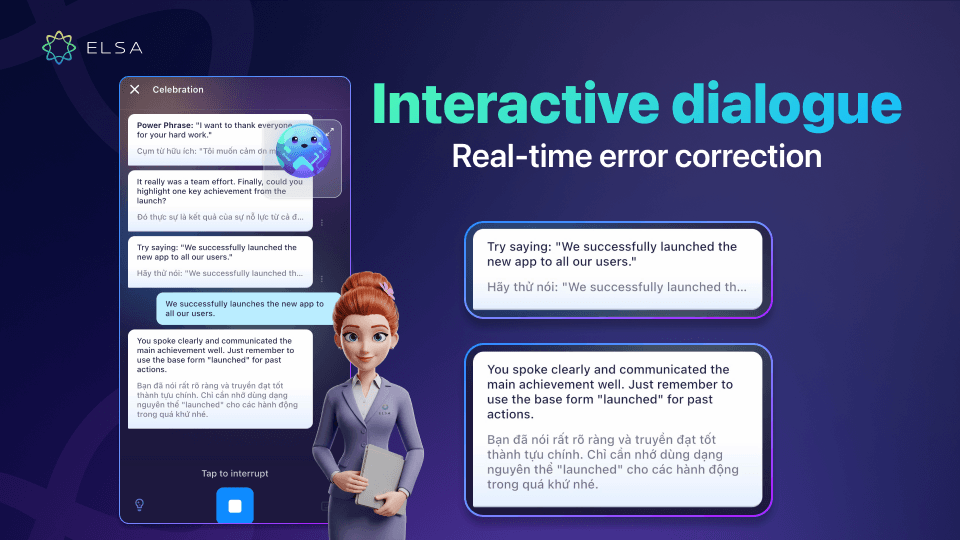
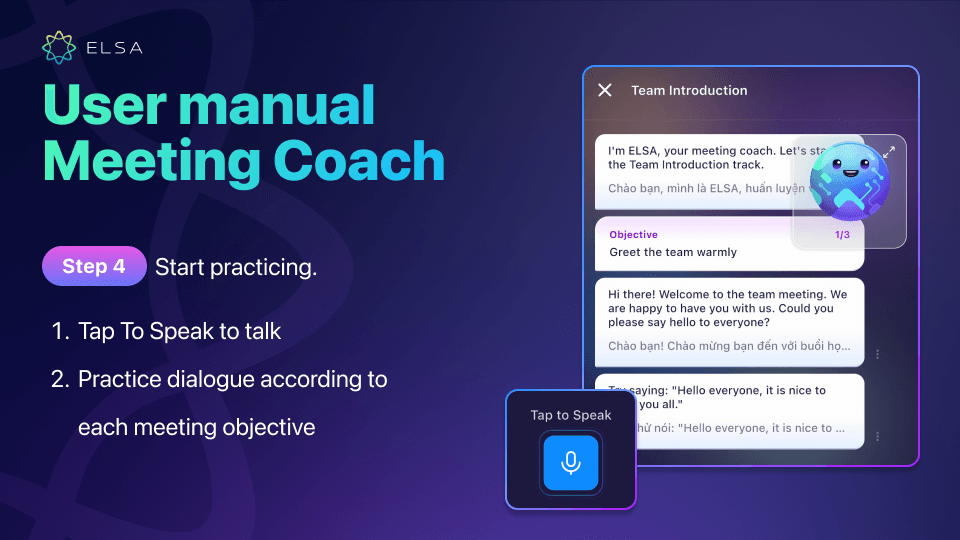
- Tap to Speak: Respond directly through the microphone or switch to the keyboard when needed. Speech recognition converts your spoken English into text instantly.
- Tap to Interrupt: Stop the AI while it is speaking to take the floor or interrupt politely. This helps learners practice taking control of a conversation.
- Instant error feedback: The AI immediately analyzes grammar mistakes or wording that is not formal enough for the context, explains the issue, and helps learners correct it in the next sentence.
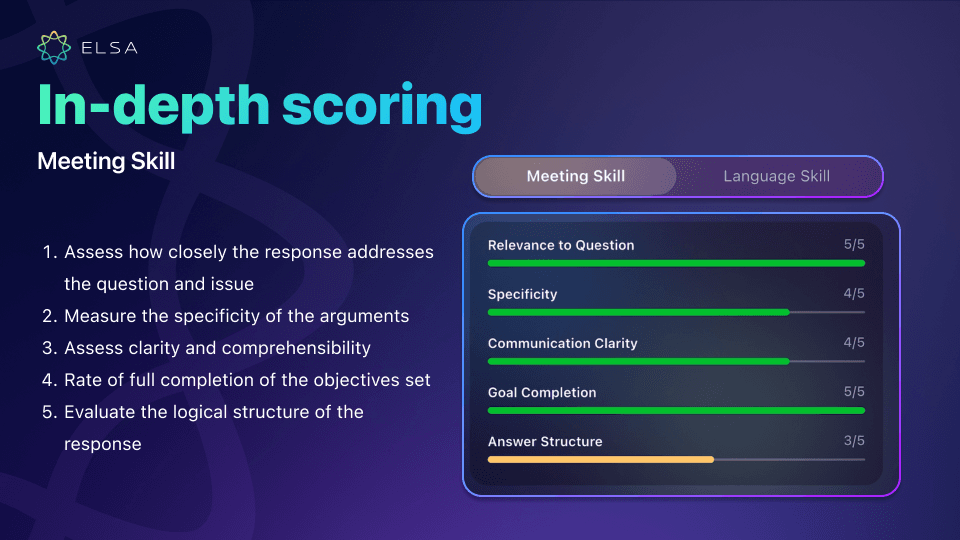
In-depth meeting skill scoring (Meeting Skill)
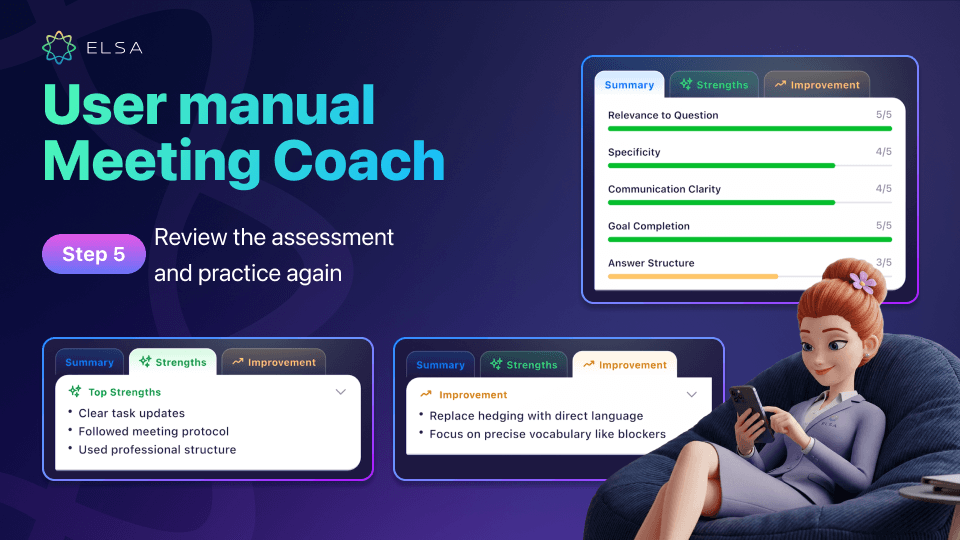
Meeting participation and facilitation performance is measured across five professional criteria on a 5/5 scale. Together, these scores provide a comprehensive view of how effective each response is:
- Relevance to Question: Evaluates how closely the response addresses the question and current discussion. A strong score reflects careful listening and the ability to answer the point directly.
- Specificity: Measures how concrete the arguments, examples, and data are. Responses supported by clear evidence tend to be more credible.
- Communication Clarity: Evaluates how clear and easy the message is to understand. Well-structured delivery helps listeners grasp ideas quickly.
- Goal Completion: Measures how fully the original meeting objectives were completed. This reflects the ability to manage content and stay disciplined in communication.
- Answer Structure: Assesses whether the response follows a logical structure. A well-organized answer creates a stronger professional impression.
Comprehensive English skill analysis (Language Skill)
After each meeting, a Radar Chart breaks down five core language areas so learners can clearly understand their pronunciation and overall communication performance:
Pronunciation: Shows how accurately individual sounds are produced and identifies both strong areas and sounds that still need practice.
- Vocabulary: Evaluates the range and appropriateness of professional vocabulary used in context.
- Fluency: Measures smoothness, speaking rhythm, and the ability to minimize pauses or hesitation. Speaking continuously at a moderate pace makes the message more engaging.
- Grammar: Evaluates sentence structure and tense accuracy, helping learners identify grammar issues that still need correction.
- Intonation: Assesses natural pitch movement and sentence stress. Appropriate intonation makes speech more expressive and credible.
- Lesson Score & Level: Displays an overall score and corresponding level, such as Intermediate or Upper Intermediate, so learners can track progress over time.
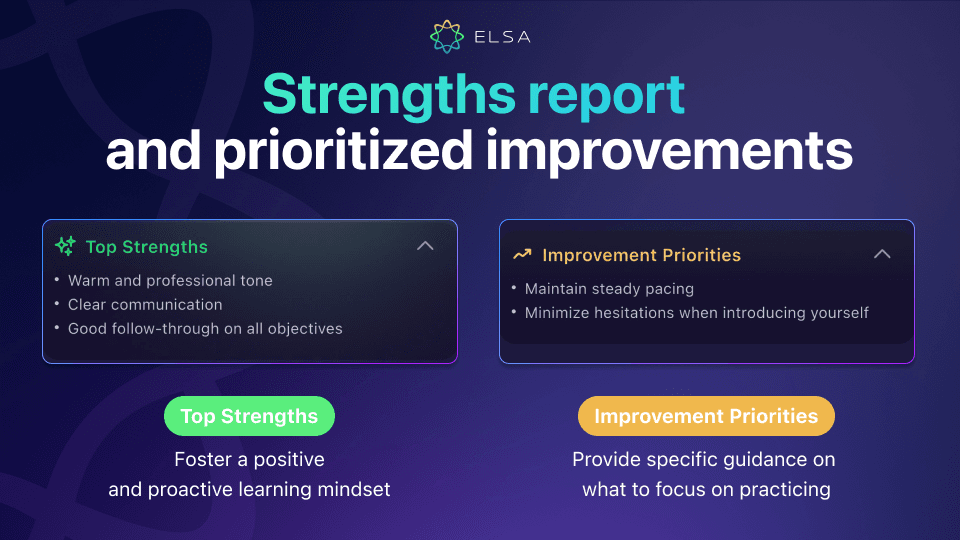
Strengths and improvement priorities report
The end-of-session summary provides an objective view of performance along with practical next steps. Learners can see exactly what to keep building on and what to improve first:
- Top Strengths: Highlights areas such as confident communication, logical answer structure, and the ability to stay aligned with meeting objectives. Positive feedback helps reinforce motivation.
- Improvement Priorities: Gives specific guidance, such as stabilizing speaking speed or reducing filler words. Focusing on these priorities helps make future contributions more concise and authoritative.
Which plan includes Meeting Coach?
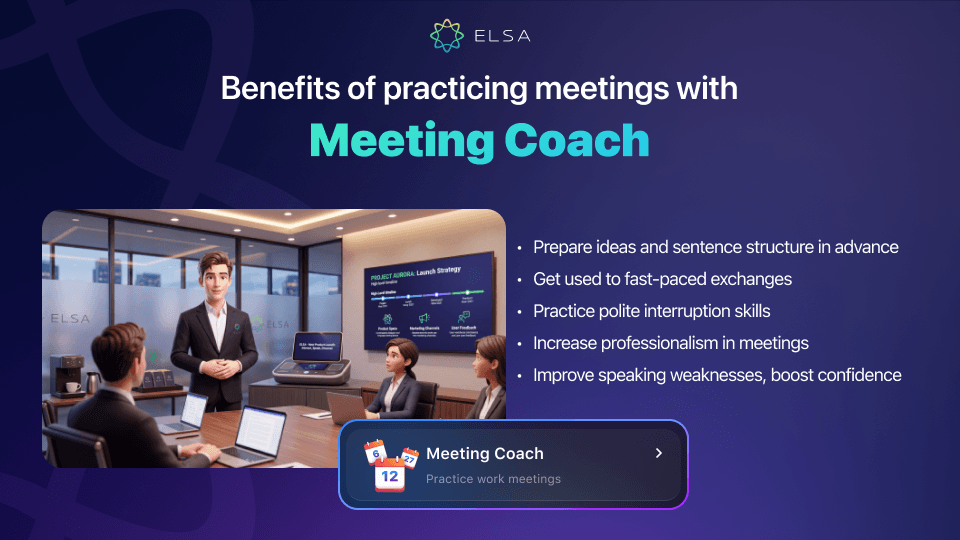
Meeting Coach is one of seven AI Coaches that are not sold separately and are fully unlocked with ELSA Professional. The plan is designed to help professionals and managers strengthen communication skills and advance their careers in international working environments.
How to use Meeting Coach
Starting a meeting practice session with the AI assistant takes only a few steps on a mobile device. You can turn your phone into a simulated meeting room and practice whenever it suits you.
>> Quick guide:
|
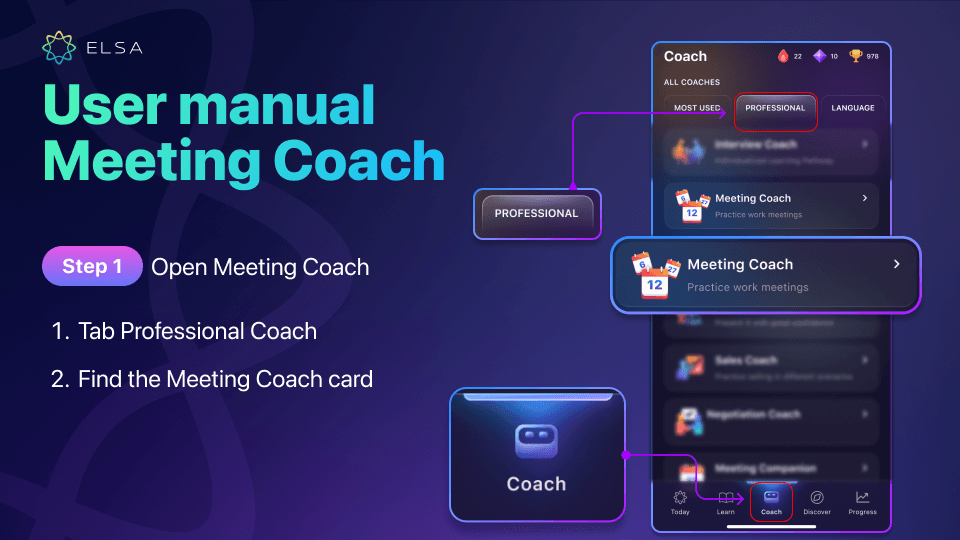
Step 1: Open Meeting Coach
Open the ELSA Speak app and go to the Coach tab in the bottom navigation bar. Select the Professional category, then tap the Meeting Coach card to begin.
Step 2: Choose a practice mode
Select one of the three modes:
- Guided Practice for beginner levels (A1 - A2)
- Semi-Guided for intermediate level (B1)
- Freeform Meeting for learners with stronger spontaneous speaking ability (B2 - C)
If you are not sure about your current level, you can start with a guided mode and gradually move up as you become more comfortable.
Step 3: Choose a scenario and preview the information
Choose a meeting scenario such as Team Introduction, Daily Standup, or Project Kickoff from the available library. Then spend a few minutes reviewing the discussion topic, listening to model pronunciation for key vocabulary, and remembering the three core objectives of the meeting.
Step 4: Start the conversation with AI
Tap Start Practice Now to enter the simulated meeting with the AI assistant. Listen to the AI open the conversation, then tap the microphone icon to speak using the suggested line or respond freely in your own words. Use Tap to Interrupt when you want to add information or politely take the floor.
Step 5: Review your evaluation and practice again
Read the analysis carefully to identify weaknesses and improve over time. You can switch between two detailed evaluation tabs:
- Meeting Skill tab: Review the five meeting skill metrics along with your strengths and areas to improve.
- Language Skill tab: View the Radar Chart breakdown of five language skills.
You can then tap Retry to repeat the same scenario and focus on correcting your mistakes, or tap Next to continue exploring new workplace meeting situations.
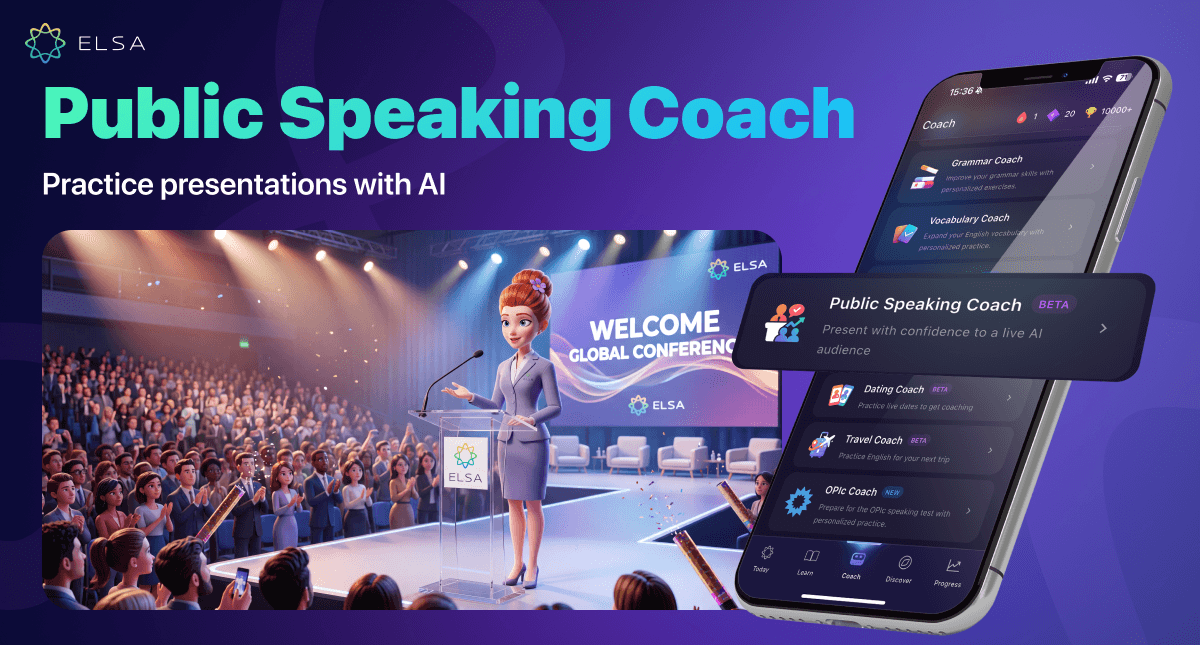
>> Other AI Coaches currently available in ELSA Professional:
Being able to participate confidently in English meetings is an important step toward building credibility and influence at work. Meeting Coach provides a smart, low-pressure practice environment where you can strengthen your communication skills every day. Subscribe to ELSA Professional in the ELSA Speak app to unlock this advanced meeting practice toolkit. The preparation you invest in today can open the door to bigger opportunities in your international career.